For Each
Using For Each nodes for iterative operations
Overview
The For Each node in Houdini is a powerful tool that allows you to perform operations on individual pieces or elements of geometry. It's particularly useful when you need to apply transformations, attributes, or other operations to separate parts of your geometry independently.
Demonstration
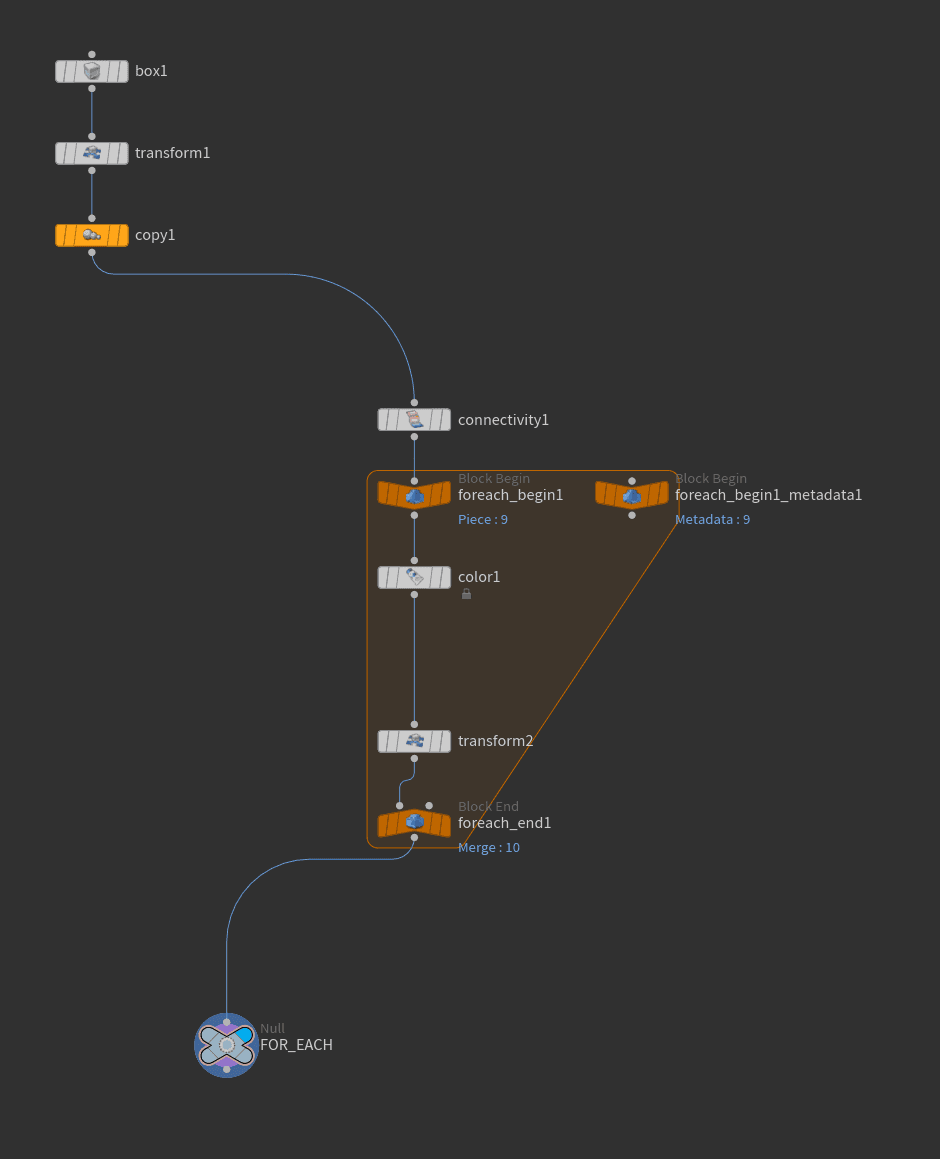
Network Setup
Meta Import
The Meta Import node allows you to access metadata from other nodes in your setup. This is particularly useful in For Each loops when you need to know which iteration you're currently processing.
// Access the current iteration number and multiply by 0.1
detail("../foreach_begin1_metadata1/", "iteration", 0)*.1
This code retrieves the current iteration number from a For Each loop and scales it, useful for creating incremental offsets or values that change with each piece.
Centroid Transform
When working with For Each loops, you often need to transform pieces around their center points. The centroid functions help you find the center of each piece for precise transformations.
// Access centroid coordinates
float cx = centroid(0, D_X);  // X position
float cy = centroid(0, D_Y);  // Y position
float cz = centroid(0, D_Z);  // Z position
Common Uses:
- Pivot Translate: Set the pivot point for rotations
- Pivot Rotate: Rotate around the center of each piece
- Local Transformations: Apply transforms relative to each piece's center
Tips
- Use Meta Import for accessing iteration numbers and creating variations
- Remember to reset transforms after using pivot operations
- Consider using For Each Connected Piece for working with distinct geometry pieces
- Combine with centroid calculations for precise local transformations